Run your entire home care agency from one screen
The Agency Command Center gives you real-time visibility across scheduling, compliance, billing, and operations from a single dashboard. Instead of jumping between disconnected tools, you see the live state of the whole agency — every location, every payer, every shift — and act on what needs attention without leaving the screen.
What it is: a full operational dashboard for your home care agency — scheduling, billing, and HR in one place, with live KPIs across every location and payer.
What you see: today's schedule, billing and claim status, expiring credentials, compliance flags, and the numbers you run the business by, all on one screen.
Why it matters: one source of truth, compliance tracking with audit trails, and customizable reports you can export — so the people running the agency stop reconciling separate systems.
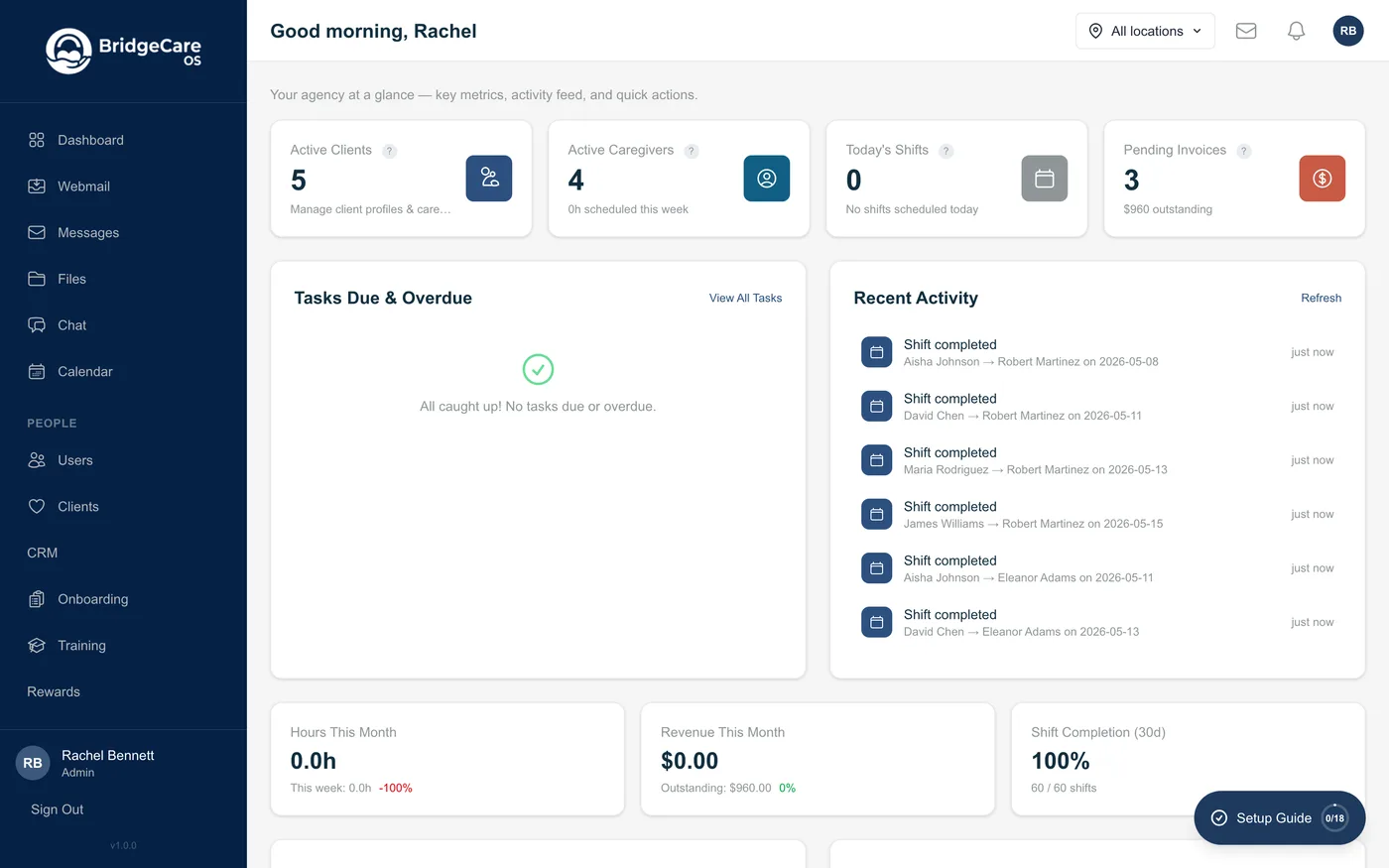
One dashboard for the whole agency
Most agencies run on a stack of disconnected tools — one app for scheduling, another for billing, a spreadsheet for HR — and the cost is hidden in the reconciliation: logging in everywhere, re-keying data, and never quite trusting the numbers. The Agency Command Center replaces that with a single operational view of the business.
Full operational dashboard
Live KPIs and the day's state in one place — schedule, billing, HR, and compliance — so an administrator can see what needs attention and act on it without switching tools.
Scheduling, billing & HR together
The three systems that usually live in separate apps share one platform. A shift change, an expiring credential, or a claim that's ready to bill all surface on the same screen.
One source of truth
Everyone works from the same data. No re-keying between systems, no version that's out of date — what a coordinator sees is what billing and HR see.
Built for multi-location, multi-payer agencies
Growing agencies outgrow single-site tools fast. The command center is designed to scale across branches and payer relationships without fragmenting your view of the business.
Multi-location support
Run several branches or regions from one login. See the whole agency consolidated, or filter the dashboard down to a single location.
Multi-payer support
Track Medicaid, managed care, VA, private pay, and more side by side — each with its own rules — while still seeing the combined picture.
Consolidated and filtered views
Owners get the rolled-up numbers across every site and payer; each branch still works inside its own data, so the view fits the role.
Compliance tracking and audit trails
In home care, the questions surveyors and payers ask are the same: is the workforce credentialed, is the documentation complete, and who did what. The command center keeps that answerable at a glance.
- Compliance tracking — credential and training expirations, documentation status, and authorization limits surface before they become a problem.
- Audit trails — actions are recorded with who did what and when, so you can show the history payers and surveyors ask for.
- Audit-ready, not after-the-fact — flags appear on the dashboard while there's still time to act, instead of during a denial review.
- Decision support — these signals help your team stay on top of compliance; they don't replace your own clinical and regulatory review.
Reports and exports on your terms
The dashboard is the live view; reports are how you brief owners, payers, and your accountant. BridgeCare OS lets you shape both.
Customizable reports
Pull the operational, financial, and compliance views your agency runs on, rather than being limited to a fixed set of canned reports.
Exports you control
Export results for payers, owners, or your accountant. The data is yours — take it out whenever you need it.
KPIs that match your business
Surface the numbers that matter to how you operate, so the command center reflects your agency, not a generic template.
Frequently asked questions
What is a home care management dashboard?
It's a single screen that shows the live state of your agency — today's schedule, billing and claim status, HR and credential expirations, compliance flags, and the KPIs you run the business by. Instead of logging into separate scheduling, billing, and HR tools, BridgeCare OS pulls them into one operational dashboard so an administrator can see what needs attention and act in the same place.
Can I manage multiple locations and payers from one dashboard?
Yes. BridgeCare OS supports multi-location and multi-payer operations from a single login. View the whole agency at once or filter the command center down to one branch, region, or payer — so a multi-site operator sees consolidated numbers while each location still works inside its own data.
Does BridgeCare OS combine scheduling, billing, and HR in one place?
Yes. Scheduling, billing, and HR live in the same platform rather than in disconnected tools, so a shift change, an expiring credential, or a claim moving to ready-to-bill all surface on the same dashboard. That removes the swivel-chair work of reconciling separate systems.
How does the command center help with compliance?
The dashboard tracks compliance items — credential and training expirations, documentation status, and authorization limits — and surfaces what's at risk. Because actions are recorded, you also get audit trails of who did what and when. It's decision-support to keep the agency audit-ready, not a substitute for your own compliance review.
Can I build custom reports and export the data?
Yes. BridgeCare OS includes customizable reports so you can pull the operational, financial, and compliance views your agency runs on, and export the results for payers, owners, or your accountant. The data is yours — you can take it out whenever you need it.
Do I need a demo to try the dashboard?
No. BridgeCare OS gives you instant access — register and be inside the command center in minutes with a 14-day free trial, no demo required and no setup fee. You see your own dashboard with real workflows, not a scripted sales walkthrough.
Related features
Scheduling · Reports & analytics · Claim Readiness · CRM & marketing