If your caregivers are still juggling paper schedules, text-message updates, and clunky desktop logins, you’re probably paying for it in missed visits, delayed documentation, and frustrated staff. In home care, the difference between smooth operations and daily chaos often comes down to one thing: whether your team has the right tools in the palm of their hand.
That’s why a home care mobile app is no longer a “nice to have.” It’s becoming the standard for agencies that want better caregiver adoption, cleaner compliance, and stronger retention. A mobile-first platform gives caregivers what they need exactly where they need it: at the client’s home, during the visit, and on the move.
For agency owners, the payoff is practical and measurable. More efficient caregivers. Fewer missed tasks. Faster documentation. Better visibility into operations. And a better experience for clients and families.
In this article, we’ll break down why mobile-first matters, what features to look for, and how to evaluate caregiver mobile tools before you commit to a platform.
Why mobile-first matters in home care

Home care doesn’t happen at a desk. It happens in kitchens, living rooms, bedrooms, and hospital discharge settings. That means caregivers need tools designed for real-world, on-the-go use—not software built primarily for administrators sitting in an office.
A mobile-first platform puts daily workflows into a format that caregivers can actually use consistently. And consistency matters. According to multiple industry studies, employee adoption drops significantly when software is hard to access or takes too many steps to complete basic tasks. In home care, that friction can quickly translate into compliance gaps and poor service delivery.
Here’s what a mobile-first approach helps solve:
- Late or incomplete documentation that creates billing delays
- Missed clock-ins and clock-outs that complicate EVV compliance
- Scheduling confusion that leads to no-shows or coverage gaps
- Low caregiver engagement because the tools feel outdated and frustrating
- More office calls and manual follow-up from staff trying to clarify tasks
When caregivers can complete tasks from their phones in just a few taps, they’re more likely to follow the process correctly. That benefits everyone: caregivers, administrators, and families.
What caregivers actually need from mobile tools
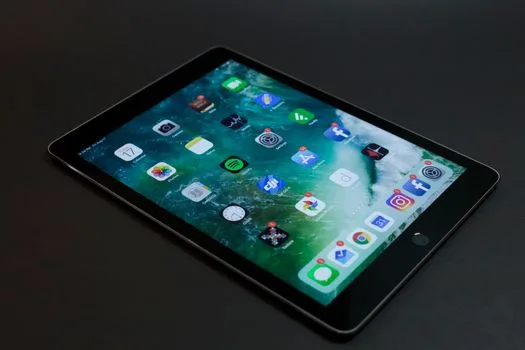
Not every app labeled “mobile” is truly mobile-first. Some systems simply shrink a desktop interface onto a small screen. That may technically work, but it usually creates more friction than it solves.
Strong caregiver mobile tools should be built around the realities of fieldwork. That means fast access, simple workflows, and minimal unnecessary clicking.
1. Easy schedule access
Caregivers should be able to see their upcoming shifts, visit details, and any changes without calling the office. A good mobile app should show:
- Shift times and client addresses
- Assigned tasks and care plans
- Special instructions and notes
- Real-time schedule updates
When schedule changes happen—and in home care, they always do—mobile access reduces confusion and helps caregivers stay on track.
2. Simple EVV check-in and check-out
Electronic visit verification is one of the biggest reasons agencies invest in mobile technology. Your app should make it easy for caregivers to clock in and out from the field while capturing the information needed for compliance.
Look for features like:
- GPS-enabled check-in/out
- Time stamping
- Visit verification tied to the scheduled job
- Missed visit alerts or exception handling
A mobile EVV workflow helps reduce errors and supports accurate billing. It also helps protect the agency if questions come up later about visit completion.
3. Fast documentation
Caregivers shouldn’t have to wait until the end of a long shift—or until they get home—to document care. The longer documentation is delayed, the more likely details will be forgotten or entered incorrectly.
Mobile documentation should allow caregivers to:
- Record visit notes in real time
- Complete task checklists during the shift
- Submit incident reports if needed
- Review and update client information quickly
One of the biggest benefits of mobile-first software is that it reduces the gap between care delivery and documentation. That usually means better accuracy and fewer billing headaches.
4. Secure communication
Text messaging may feel convenient, but it can quickly become disorganized and risky if sensitive client information is involved. A better approach is built-in communication inside the platform.
Strong caregiver mobile tools should support secure communication for:
- Schedule updates
- Office-to-caregiver messaging
- Task reminders
- Client-specific alerts
This keeps communication centralized, searchable, and more HIPAA-conscious than casual texting.
5. Access to client details and care plans
Caregivers need the right information at the right time. A mobile platform should give them quick access to the details they need to do their work confidently and safely.
That might include:
- Care plan instructions
- Medication reminders or alerts
- Client preferences and routines
- Family or office notes
When caregivers can easily reference the care plan on their phone, they’re less likely to miss important details or call the office for routine questions.
The business case for a mobile-first platform
Mobile tools aren’t just a convenience for caregivers. They’re a strategic advantage for the agency.
Here’s why agency owners should pay attention.
Better caregiver retention
Caregivers are more likely to stay when their job feels manageable. Clunky systems create frustration, and frustration contributes to turnover. In a workforce already facing high demand and emotional stress, tools that simplify the day can make a real difference.
When caregivers can see their schedules, document visits, and communicate without fighting the system, they feel more supported. That kind of experience matters.
Higher compliance and fewer billing issues
Mobile-first platforms help capture accurate data at the point of care. That means fewer missed records, fewer manual corrections, and less time spent chasing down missing information. Since billing depends on clean visit data, better documentation directly supports revenue flow.
For agencies billing Medicaid or working under strict state requirements, mobile EVV functionality is especially important.
Less office admin work
Every phone call the office doesn’t have to make is time saved. Every missing note that doesn’t need to be chased is time saved. When caregivers can handle more of their workflow from their phone, office staff can focus on higher-value tasks like staffing, client service, and quality oversight.
Stronger family confidence
Many modern platforms also include family-facing tools that improve transparency. When families can see updates, care notes, or visit confirmations, they feel more informed and reassured. That can help build trust and reduce inbound questions to your office.
What to look for when choosing caregiver mobile tools
If you’re evaluating software, don’t just ask whether it has an app. Ask whether the app is truly built for caregivers.
Use the checklist below to compare options.
1. Mobile-first design, not desktop shrinkage
The best apps are designed for a small screen from the ground up. That means fewer taps, clear buttons, readable layouts, and workflows that make sense in the field.
If the app feels difficult to use on a phone, caregivers will avoid it—or make mistakes using it.
2. Offline or low-signal functionality
Home care doesn’t always happen in perfect Wi-Fi conditions. If your caregivers work in rural areas, basements, or buildings with poor reception, ask how the app handles weak connectivity.
Look for:
- Offline note capture
- Automatic sync when reconnected
- Reliable EVV submission support
3. Intuitive navigation
Caregivers shouldn’t need lengthy training to complete basic tasks. The interface should be clear enough that new hires can learn it quickly.
If your team needs repeated reminders just to clock in properly or submit notes, the tool may be too complicated.
4. Security and HIPAA compliance
Mobile access should never come at the expense of privacy. Make sure the platform includes secure login, role-based permissions, and safeguards around protected health information.
Ask specifically how the vendor handles:
- Data encryption
- User access controls
- Audit trails
- Device security
5. Built-in scheduling and visit tools
The app should do more than display information. It should support the full caregiver workflow, from schedule review to visit completion to documentation submission.
That’s why all-in-one platforms often outperform disconnected point solutions. When scheduling, EVV, billing, and communication live in one system, there’s less room for data mismatch and double entry.
6. Support for caregiver engagement
The right mobile platform can also help with motivation and recognition. Features like rewards, performance feedback, or gamification can encourage consistency and improve morale.
In a tight labor market, small improvements in engagement can go a long way.
Common mistakes agencies make when choosing mobile software
Many agencies know they need better technology, but they still make a few avoidable mistakes during selection.
- Choosing based on office features only. If the platform is great for admins but frustrating for caregivers, adoption will suffer.
- Overlooking ease of use. Powerful software is useless if the team won’t actually use it.
- Ignoring caregiver feedback. Your field staff can tell you what slows them down and what would help most.
- Failing to test the mobile experience. Always demo the app on a real phone, not just a desktop screen.
- Buying too many disconnected tools. Fragmented systems create more work, not less.
How BridgeCare OS supports mobile-first home care teams
If you’re looking for a modern platform that supports both caregivers and administrators, BridgeCare OS is built to make daily operations simpler. It combines scheduling, EVV, billing, HIPAA-conscious workflows, family communication, AI-driven insights, CRM, and caregiver rewards in one system.
That means your team isn’t hopping between tools or relying on paper processes. Instead, caregivers can stay focused on care while the office gets the visibility it needs.
If you’re exploring options, you can start a free trial of BridgeCare OS with no setup fees and no contracts.
The best technology in home care is the kind caregivers actually use every day. If your mobile tools are easy, fast, and built for the field, adoption follows.
Final thoughts
A mobile-first platform isn’t just about convenience. It’s about helping caregivers do their jobs well, helping your office stay organized, and helping your agency operate with fewer errors and less stress.
When evaluating a home care mobile app, focus on the basics that matter most: schedule access, EVV, documentation, secure communication, and simplicity. If the tool makes life easier for caregivers, it will usually make life easier for your whole agency.
If you’re ready to see what a modern platform can do for your team, BridgeCare OS offers a mobile-friendly foundation designed for today’s home care agency.
Keep Reading
Why Your Caregivers Need a Mobile-First Platform (And What to Look For)
Discover why a mobile-first home care platform boosts caregiver retention, compliance, and efficiency — plus what features to look for in 2024.
Why Your Caregivers Need a Mobile-First Platform (and What to Look For)
Discover why a mobile-first home care platform boosts caregiver efficiency, improves compliance, and helps agencies reduce errors and turnover.
Why Your Caregivers Need a Mobile-First Platform (and What to Look For)
Discover why a home care mobile app matters, which caregiver mobile tools improve efficiency, and what features to prioritize when choosing one.
Ready to modernize your home care agency?
BridgeCare OS unites scheduling, EVV, billing, and family transparency on one platform. Start your 14-day free trial — no credit card required.
Start Free Trial →