If your caregivers are still juggling paper schedules, text-message updates, and clunky desktop logins, you are not just dealing with inconvenience—you are creating friction at every visit. In home care, that friction shows up as missed updates, delayed documentation, billing errors, and caregiver frustration. A mobile-first platform solves that problem by putting the tools caregivers actually need right in their pocket.
The shift to mobile is not just a tech trend. It is a practical response to how home care really works. Caregivers are on the road, moving from client to client, documenting in real time, and communicating with office staff while they are away from a desk. In that environment, a home care mobile app is no longer optional—it is the foundation for better operations, stronger compliance, and a better caregiver experience.
According to recent workforce studies, mobile access improves productivity and reduces administrative overhead because caregivers can document tasks, verify visits, and receive updates without having to return to the office. For agencies facing staffing shortages and tighter margins, those time savings matter.
Why mobile-first matters in home care
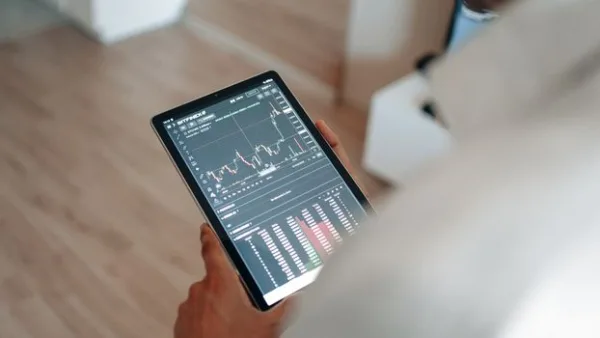
Home care is a field service business. Your staff is not sitting in one place, and your software should not assume they are. A mobile-first platform is designed around the caregiver’s day, not the administrator’s desk.
When caregivers can do their work from a phone or tablet, agencies often see improvements in:
- Visit accuracy and on-time documentation
- Communication between office staff and field staff
- Reduced paper usage and duplicate data entry
- Faster billing and fewer payment delays
- Caregiver satisfaction and retention
That last point is easy to overlook. Caregivers are more likely to stay with an agency when the tools feel simple and supportive. If your system is hard to use, caregivers feel it every day. A modern home care mobile app can reduce stress and help them focus on the client instead of the software.
What caregivers actually need from mobile tools
Not every app that claims to be “mobile-friendly” is truly built for caregivers. Some platforms simply shrink a desktop dashboard onto a smaller screen. That is not the same as designing workflows for real-world use.
Caregiver mobile tools should make it easier to complete the most important tasks quickly and accurately, even during a busy shift.
1. Simple scheduling and visit access
Caregivers need to see where they are going, when they are going, and who they are seeing—without digging through emails or calling the office. A good mobile platform should show upcoming shifts, client details, directions, and any special instructions in one place.
This reduces confusion and helps caregivers arrive prepared. It also cuts down on last-minute calls to the office, which saves your coordinators time.
2. Easy time tracking and EVV
Electronic visit verification is a must for many agencies, especially those billing Medicaid. But EVV should not feel like a burden. The best systems make clock-in and clock-out simple, with location tracking and compliant time stamps built into the workflow.
If the process is too complicated, caregivers may forget to use it correctly, or they may view it as a hassle. A streamlined home care mobile app helps make EVV part of the normal visit flow instead of a separate chore.
3. Real-time care notes and documentation
Care notes should be entered while the visit is fresh, not hours later from memory. Mobile documentation allows caregivers to record services performed, client observations, and changes in condition right after the task is completed.
This improves accuracy and helps supervisors spot issues earlier. It also supports compliance by keeping records current and complete.
4. Secure messaging and alerts
Caregivers need a fast way to communicate with the office when something changes. Maybe a client is unavailable, a shift needs coverage, or a family member requests an update. Mobile messaging helps staff handle these situations quickly.
Just as important, the messaging must be secure and HIPAA-conscious. Texting from personal phones or using unsecured channels can create privacy risks. Caregiver mobile tools should include protected communication inside the platform.
5. Access to client preferences and care plans
A caregiver who knows a client’s routine, preferences, and care instructions can provide a better experience. Mobile access to care plans, task lists, and notes helps caregivers deliver consistent service without relying on memory alone.
For example, details like meal preferences, mobility concerns, medication reminders, or family communication preferences can make the visit more personal and more effective.
6. Reward and recognition features
Caregiver retention is one of the biggest challenges in home care. Small wins matter. Platforms that include recognition or reward tools can help agencies reinforce punctuality, reliability, and quality care.
When caregivers feel seen, they are more likely to stay engaged. That can be especially valuable in a market where hiring and onboarding are costly.
What to look for in a mobile-first platform

Once you know what caregivers need, you can evaluate platforms more effectively. A strong mobile-first solution should do more than “work on mobile.” It should be built for mobile from the ground up.
1. Fast, intuitive user experience
If caregivers need training just to clock in, the software is too complicated. Look for a clean interface with minimal taps, clear icons, and workflows that match real caregiving tasks.
The best platforms reduce cognitive load. Caregivers should be able to open the app, understand what they need to do, and move on with their shift.
2. Offline or low-connectivity support
Many caregivers work in homes with weak internet or spotty cell service. Your platform should handle interruptions gracefully. Offline-friendly tools can store data temporarily and sync when a connection is restored.
This is especially important for documentation and EVV. If the app fails when service is poor, you end up with incomplete records and frustrated staff.
3. Compliance and audit readiness
Mobile convenience should never come at the expense of compliance. Look for HIPAA-conscious security, role-based permissions, visit history, and clear audit trails.
The right platform helps you prove what happened, when it happened, and who entered the information. That is essential for billing accuracy and regulatory peace of mind.
4. Integrated scheduling, billing, and CRM
One of the biggest advantages of a modern platform is integration. If scheduling lives in one system, documentation in another, and billing in a third, your team ends up doing duplicate work.
Integrated caregiver mobile tools connect field activity to office operations. That means fewer errors, faster claims, and a better view of client and caregiver activity across the agency.
5. Family communication tools
Families want reassurance that care is happening as planned. Some home care platforms include a family portal that makes updates, visit visibility, and communication easier. That can reduce inbound calls to your office and improve trust with client families.
Even if families are not the primary user of the mobile app, their access to timely information can be a competitive advantage for your agency.
6. Scalability without complexity
Whether you manage 10 caregivers or 200, your mobile platform should scale without creating more admin work. You need a system that supports growth, but still feels simple enough for everyday users.
That balance is where many legacy tools fall short. Older systems often prioritize back-office features but neglect the field experience. Modern agencies need both.
Common mistakes agencies make when choosing mobile tools
It is easy to get distracted by a long feature list. But the most expensive mistake is choosing software that looks impressive in a demo and then frustrates caregivers in real life.
Here are a few common pitfalls to avoid:
- Choosing a platform that is desktop-first and only “mobile compatible”
- Overlooking caregiver training needs and adoption challenges
- Ignoring offline access and poor connectivity scenarios
- Failing to confirm EVV and compliance capabilities
- Buying separate tools that do not communicate with each other
The goal is not just to have an app. The goal is to make the caregiver’s day easier and the agency’s operations more reliable.
How a mobile-first platform improves agency performance
A strong mobile experience affects more than caregivers. It can improve the entire agency workflow.
When caregivers document in real time, the office gets cleaner data. When schedules are easy to access, there are fewer missed visits. When communication is centralized, coordinators spend less time chasing updates. And when billing data is captured correctly at the source, claims move faster.
In practical terms, that means:
- Fewer payroll corrections
- Fewer billing delays
- Better visit verification
- Stronger client satisfaction
- Less administrative burnout
In a competitive market, those improvements can have a real impact on margins and growth.
How BridgeCare OS supports mobile-first operations
If you are evaluating a new system, look for one that gives caregivers the tools they need without making your back office more complicated. BridgeCare OS was built for home care agencies that want a modern, mobile-friendly workflow with scheduling, EVV, billing, compliance, and communication in one place.
That matters because caregivers do not need more software—they need better software. A platform like BridgeCare OS helps reduce friction for caregivers while giving administrators better visibility into operations, documentation, and revenue processes.
Questions to ask before you buy
Before you commit to any platform, ask these questions during your demo:
- Can caregivers complete their most common tasks in just a few taps?
- Does the app support EVV and compliance requirements?
- What happens if the caregiver loses internet connection?
- Is communication secure and centralized?
- How quickly can new caregivers learn the app?
- Can the platform grow with our agency without adding complexity?
If the vendor cannot answer these clearly, keep looking. Your caregivers will notice the difference immediately.
Final thoughts
A mobile-first platform is not just a convenience feature. For home care agencies, it is a practical tool for better care delivery, stronger compliance, and happier caregivers. The right home care mobile app makes daily work easier, while the right caregiver mobile tools help your team stay organized, accurate, and responsive.
If your current system still feels built for the office instead of the field, it may be time to rethink what your caregivers really need. A simpler mobile experience can pay off in every part of the agency.
If you are exploring options, consider starting with a platform that is designed for modern home care from day one. You can learn more and get started with a free trial at BridgeCare OS.
Keep Reading
Why Your Caregivers Need a Mobile-First Platform (And What to Look For)
Discover why a mobile-first home care platform boosts caregiver retention, compliance, and efficiency — plus what features to look for in 2024.
Why Your Caregivers Need a Mobile-First Platform (and What to Look For)
Discover why a mobile-first home care platform boosts caregiver efficiency, improves compliance, and helps agencies reduce errors and turnover.
Home Care Software Comparison: How to Choose the Right Platform for Your Agency
Learn how to evaluate and choose the best home care software for your agency with this practical, step-by-step comparison guide for owners and administrators.
Ready to modernize your home care agency?
BridgeCare OS unites scheduling, EVV, billing, and family transparency on one platform. Start your 14-day free trial — no credit card required.
Start Free Trial →