If your agency uses a scheduling tool, payroll system, EVV software, billing platform, CRM, and family portal, your team may be logging in and out of half a dozen systems every day. That might sound like a small annoyance, but in home care, login friction quickly becomes a security risk, a productivity drain, and a training headache.
That’s where single sign-on, or SSO, comes in. For home care agencies managing multiple systems, SSO can simplify access, strengthen security, and help staff spend more time serving clients instead of resetting passwords.
In an industry where caregivers are moving fast, administrators are multitasking, and compliance matters at every step, SSO is more than a convenience feature. It is a practical way to reduce operational stress while improving protection for sensitive client and employee data.
What is SSO and how does it work?

Single sign-on allows a user to log in once and access multiple connected applications without needing separate usernames and passwords for each one. Instead of remembering different credentials for scheduling, EVV, billing, and messaging tools, the user authenticates through one secure login.
For example, an office manager who signs in to the agency’s main platform can then move between connected tools without being prompted to log in again. In many cases, this creates a smoother experience across desktops, tablets, and mobile devices.
In simple terms, SSO home care teams use one secure door instead of five different keys.
Why home care agencies struggle with multiple logins

Many agencies grow fast and adopt software one problem at a time. A new payroll tool here, a compliance system there, a separate portal for families, and another app for caregivers in the field. Before long, the agency has a patchwork of systems that all require different credentials.
This creates several common problems:
- Password fatigue: Staff reuse passwords or write them down because there are too many to remember.
- Lost time: Caregivers and office staff spend minutes each day logging in, resetting passwords, or calling for help.
- Higher support burden: Administrators and IT staff deal with endless password reset requests.
- Security gaps: Weak or reused passwords increase the risk of unauthorized access.
- Training complexity: New hires must learn multiple systems and login steps before they can work efficiently.
In home care, those problems are magnified because staff often work on the move, use shared devices, and need quick access to schedules, visit notes, and client information.
The security case for SSO in home care
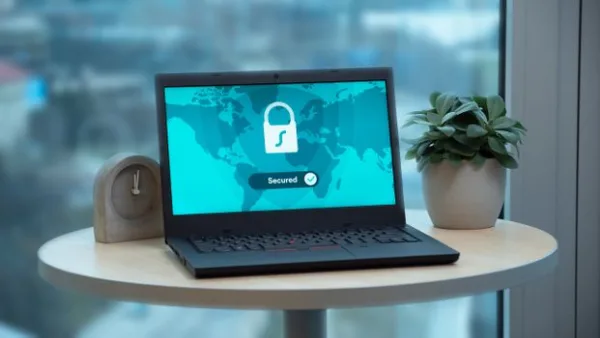
Security is one of the strongest reasons to adopt single sign-on healthcare workflows. Home care agencies handle protected health information, personal details, payment data, and caregiver records. When access is spread across multiple logins, the risk of mismanagement increases.
SSO helps agencies by centralizing authentication. That means access can be controlled from one place, making it easier to manage who can enter which systems and when.
1. Stronger password practices
When users only need one password, they are less likely to reuse weak passwords across platforms. This can reduce one of the most common causes of data breaches: credential misuse.
2. Easier access control
If a caregiver leaves the agency or an administrator changes roles, access can be updated more efficiently. Instead of manually removing credentials from several different apps, the agency can manage access in a more centralized way.
3. Lower risk from shared or written-down passwords
In busy home care environments, staff sometimes share logins or keep passwords in insecure places to avoid delays. SSO reduces the pressure to do that by making access more straightforward and secure.
4. Better alignment with HIPAA compliance
SSO does not automatically make an agency HIPAA compliant, but it supports better security practices by simplifying user access, improving oversight, and helping reduce unauthorized entry. For agencies that must protect sensitive data, this is a valuable layer in a broader compliance strategy.
According to Verizon’s Data Breach Investigations Report, stolen credentials remain one of the most common ways attackers gain access to systems. For home care agencies, that makes login security a frontline issue, not a minor IT concern.
The operational benefits of SSO for agency owners
Security matters, but SSO also has a direct impact on day-to-day operations. Agency owners and administrators often look at software through the lens of productivity, staff satisfaction, and client service. On those fronts, SSO delivers real value.
Less time wasted on password resets
Password resets are a hidden cost. Even if each reset takes only a few minutes, multiply that by dozens of employees and the time adds up fast. With one login to remember, your team can spend less time calling the office and more time focusing on care.
Faster onboarding
New hires already have a lot to learn: client care plans, documentation standards, visit schedules, communication protocols, and agency policies. Giving them one simple login instead of several makes onboarding easier and less frustrating.
Smoother mobile workflows
Many caregivers use smartphones or tablets to clock in, view schedules, and document visits. SSO can reduce interruptions and make it easier to move between essential tools without repeated authentication.
Better adoption of your software stack
One of the biggest reasons software gets underused is friction. If staff find a system hard to access, they may avoid it, delay using it, or find workarounds. SSO removes one of the biggest barriers to adoption.
How SSO supports better compliance and auditing
For home care agencies, it is not enough to know that someone logged in. You also need visibility into who accessed what, when, and from where. SSO can help support that level of oversight when implemented correctly.
Here’s how:
- Centralized identity management: User permissions can be managed from a single control point.
- Clearer audit trails: Access events are easier to track across connected systems.
- Improved deprovisioning: When employees leave, access can be removed more quickly and consistently.
- Role-based access: Staff can be limited to the tools and data they need for their job.
This matters because compliance is not just about policies on paper. It is about daily operational habits that protect client information and reduce the chance of mistakes.
When SSO makes the most sense for home care agencies
Not every agency needs SSO on day one. But as your operation grows and your tech stack expands, it becomes increasingly valuable. SSO is especially useful if your agency:
- Uses multiple software systems for scheduling, billing, EVV, and HR
- Has caregivers, coordinators, and billing staff using different tools daily
- Onboards new hires frequently
- Manages sensitive data across several platforms
- Wants to reduce password-related support requests
- Needs tighter security controls without adding complexity
If any of those sound familiar, your current login process may already be costing more than you realize.
What to look for in an SSO setup
If you are evaluating software or trying to simplify your current workflow, don’t just ask whether a tool has SSO. Ask how well it fits your agency’s real-world needs.
1. Does it work across the tools your team actually uses?
SSO is only helpful if it connects the applications that matter most to your operation. Make sure your core systems are supported.
2. Is it easy for non-technical staff?
Home care teams are busy. Your caregivers and office staff should not need IT training to log in securely.
3. Does it support role-based permissions?
Your scheduler, nurse, billing specialist, and owner should not all have the same access. Good SSO should support different levels of access control.
4. Can it scale with your agency?
As you grow, you may add more locations, more staff, and more systems. Choose a login strategy that can scale with you.
5. Does it fit into a broader security strategy?
SSO should work alongside other protections like multi-factor authentication, strong password policies, and HIPAA-focused workflows.
How BridgeCare OS helps simplify access
One of the best ways to reduce login chaos is to consolidate more of your daily work into a single platform. BridgeCare OS brings scheduling, EVV, billing, family communication, HIPAA-aware workflows, CRM, and AI insights into one modern system, helping agencies cut down on tool sprawl and the problems that come with it.
That means fewer disconnected logins, fewer password headaches, and a cleaner experience for both office teams and caregivers. If your agency is trying to streamline operations while improving security, a centralized system can make a meaningful difference.
Learn more about how BridgeCare OS can help simplify operations and access control at BridgeCare OS.
Practical steps to reduce login friction now
Even if you are not ready to overhaul your software stack, there are a few practical steps you can take right away:
- Audit every system your team uses. Make a list of all apps that require login, including hidden tools used by office staff.
- Identify duplicated tasks. Look for places where staff enter the same information into multiple systems.
- Standardize password policies. Use strong, unique passwords and avoid shared credentials whenever possible.
- Enable MFA where available. Multi-factor authentication adds an important layer of security.
- Review user access regularly. Remove outdated accounts and make sure role permissions still match responsibilities.
- Consolidate where possible. The fewer systems your team has to access, the easier it is to manage securely.
Final thoughts
For home care agencies, SSO is not just an IT upgrade. It is a smarter way to manage access, protect sensitive data, and reduce the daily friction that slows teams down. In an environment where caregivers and administrators need fast, reliable access to multiple systems, single sign-on healthcare workflows can improve both security and efficiency.
If your agency is tired of juggling too many tools and too many passwords, it may be time to simplify. A modern platform like BridgeCare OS can help bring more of your operation under one roof and make secure access easier for everyone on your team.
Ready to explore a more streamlined way to run your agency? Start your 14-day free trial at BridgeCare OS.
Keep Reading
Why SSO Matters for Home Care Agencies Managing Multiple Systems
Discover why SSO home care teams need it to reduce logins, improve security, and simplify workflows across multiple systems and caregivers.

Why SSO Matters for Home Care Agencies Managing Multiple Systems
Learn why SSO home care teams need to reduce logins, improve security, and simplify workflows across multiple healthcare systems and tools.
Why SSO Matters for Home Care Agencies Managing Multiple Systems
Discover why single sign-on (SSO) is a game-changer for home care agencies juggling multiple platforms — and how it boosts security, saves time, and reduces burnout.
Ready to modernize your home care agency?
BridgeCare OS unites scheduling, EVV, billing, and family transparency on one platform. Start your 14-day free trial — no credit card required.
Start Free Trial →