Home care agencies rarely run on one system anymore. You may have scheduling in one platform, billing in another, HR in a third, and a family portal or EVV tool layered on top. The result? Care teams, office staff, and caregivers spend too much time logging in, resetting passwords, and switching between apps instead of focusing on clients.
That is exactly why SSO home care workflows are becoming so important. Single sign-on lets a user log in once and access multiple connected systems securely. For agencies managing a growing tech stack, single sign-on healthcare is more than a convenience feature. It is a practical way to reduce friction, strengthen security, and improve productivity across the entire operation.
If your agency is juggling multiple software tools, SSO can be the difference between a system that supports your team and a system that slows everyone down.
What is SSO in home care?
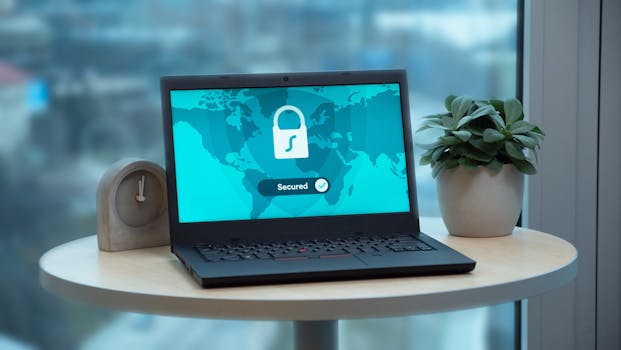
Single sign-on, or SSO, is an authentication method that allows users to access several applications with one set of login credentials. Instead of remembering separate usernames and passwords for every system, staff sign in once through a trusted identity provider and are granted access to the tools they need.
In a home care setting, that might mean one login for:
- Scheduling and staffing software
- EVV tools
- Billing and payroll systems
- CRM or referral management platforms
- Family and caregiver portals
- Document storage and compliance tools
For agencies with multiple locations, department heads, or a mix of office staff and field staff, SSO simplifies access without giving up control.
Why multiple logins create real problems

It is easy to underestimate how much time is lost to login friction. But in a busy agency, those small delays add up quickly.
Password fatigue slows teams down
When staff have to remember several passwords, they often reuse them, write them down, or call for help when they get locked out. That creates inefficiency and security risk. According to industry cybersecurity guidance, weak or reused passwords remain one of the most common causes of account compromise.
IT and admin teams get buried in reset requests
Every “I forgot my password” request takes time away from more important work. For agencies without a dedicated IT team, those interruptions fall on administrators, managers, or owners who already wear multiple hats.
Training becomes harder
New staff members need to learn how to use your systems quickly. If each platform has a different login process, onboarding becomes more confusing and takes longer than it should.
Security becomes inconsistent
When users manage multiple passwords across different tools, access control can become messy. Some systems may have strong authentication standards, while others rely on simpler logins that create vulnerabilities.
How SSO improves security for home care agencies

Security is one of the biggest reasons agencies adopt SSO. Home care organizations handle sensitive information every day, including client health details, schedules, family contacts, visit notes, and billing records. That makes access control a critical part of HIPAA compliance.
Fewer passwords means fewer risks
Every password is a potential weak point. SSO reduces the number of separate credentials your staff must manage, which lowers the chance of password reuse, weak passwords, and unsafe sharing.
Centralized access control is easier to manage
When an employee changes roles or leaves the agency, access can be revoked from one central place rather than system by system. That helps reduce the risk of former users retaining access to sensitive data.
Multi-factor authentication becomes more effective
SSO often works alongside multi-factor authentication (MFA), giving agencies another layer of protection. A strong identity setup can make it much harder for unauthorized users to access client or business information.
Audit trails are cleaner
With a centralized login system, it is easier to track who accessed what and when. For agencies that must demonstrate accountability, cleaner audit logs can be a major benefit during internal reviews or compliance checks.
In healthcare environments, identity and access management is not just an IT issue. It is a core operational and compliance issue.
Why SSO matters operationally, not just technically
Some agency owners hear “SSO” and assume it is only relevant for IT departments. In reality, it has day-to-day business impact.
It saves time across the agency
Time is one of the most valuable resources in home care. If caregivers can access what they need faster and office staff spend less time troubleshooting logins, your whole operation runs more smoothly.
It supports better user adoption
Teams are more likely to use systems consistently when access is simple. A clunky login process can create frustration that leads to workarounds, skipped documentation, or underused software features.
It improves the caregiver experience
Caregivers already deal with packed schedules, last-minute changes, and demanding shifts. Giving them a simpler, more reliable way to access their schedule, visit details, and required documentation can reduce stress and improve compliance.
It creates a more professional experience for families
If your agency offers portals or communication tools for families, SSO can help create a smoother, more seamless experience. That matters because trust and responsiveness are key differentiators in a competitive market.
When should a home care agency consider SSO?
Not every agency needs enterprise identity management on day one. But if any of the following sound familiar, it is time to take SSO seriously:
- Your team uses four or more software tools daily
- Staff frequently forget passwords or get locked out
- You have multiple office locations or departments
- You are growing quickly and onboarding is becoming harder
- You need tighter control over client data access
- You are trying to improve HIPAA compliance processes
- You are moving away from disconnected, legacy systems
If your agency is scaling, the cost of not having SSO usually shows up as wasted time, inconsistent access, and avoidable security headaches.
What to look for in an SSO setup
If you are evaluating systems or planning a technology upgrade, SSO should not be treated as an optional luxury. It should be part of the conversation from the start.
1. Compatibility with your existing tools
Ask whether your key systems support SSO integration. The value of SSO depends on how many of your core workflows it can actually connect.
2. Role-based access
Not every user needs access to everything. Look for a system that lets you define permissions by role, so caregivers, schedulers, billing staff, and administrators only see what is relevant to them.
3. Strong authentication options
SSO should support secure login methods such as MFA and identity verification. Convenience should never come at the expense of security.
4. Simple user management
Your administrative team should be able to add, remove, or update access without needing technical expertise. The best setups are designed for real operators, not just IT specialists.
5. Reliable support and documentation
Even the best systems need a good rollout plan. Clear onboarding instructions, vendor support, and implementation guidance can make adoption much smoother.
How SSO fits into a modern home care tech stack
Modern agencies are moving toward connected platforms that reduce duplication and centralize data. SSO is a natural part of that shift.
For example, if your agency uses a unified system for scheduling, EVV, billing, CRM, and family communication, you can reduce the number of logins staff need every day. That creates a more manageable workflow and fewer points of failure.
BridgeCare OS is built for agencies that want that kind of simplification. By bringing core operations together in one platform, it helps reduce the login sprawl that comes with disconnected software. If you are exploring a more streamlined setup, you can learn more at BridgeCare OS.
Common myths about SSO in healthcare
“SSO is only for big enterprises”
Not true. Smaller and mid-sized agencies can benefit just as much, especially if they use multiple systems or are growing fast.
“SSO will make access harder”
SSO actually makes access easier for legitimate users. It reduces friction while still improving security controls.
“We do not have an IT team, so it is too complicated”
Many modern platforms are designed to make identity management more approachable. You do not need to be technical to benefit from a simpler login structure.
“We can just use the same password everywhere”
That is one of the riskiest habits in any organization. One compromised password can expose multiple systems if credentials are reused.
Practical steps to get started
If you are thinking about SSO for your agency, start with a simple audit of your current environment.
- List every system your staff uses regularly.
- Identify which systems handle sensitive client or business information.
- Document how users currently log in and where password issues happen most often.
- Ask vendors whether they support SSO, MFA, and role-based access.
- Prioritize the systems that create the most friction or risk.
- Plan training so staff understand the new login process.
Even if you do not implement SSO immediately, this exercise will show you where access management is slowing your team down.
Final thoughts
For home care agencies managing multiple systems, SSO is not just a tech upgrade. It is a way to reduce login chaos, protect sensitive information, and give staff a smoother daily workflow. In a business where speed, accuracy, and trust matter, those improvements can have a real impact.
If your agency is ready to move toward a simpler, more secure operation, exploring a unified platform is a smart place to start. BridgeCare OS combines the tools agencies need to run more efficiently, with the flexibility to grow as your business grows. You can get started with a 14-day free trial at BridgeCare OS.
Keep Reading

Why SSO Matters for Home Care Agencies Managing Multiple Systems
Learn why SSO home care teams need to reduce logins, improve security, and simplify workflows across multiple healthcare systems and tools.

Why SSO Matters for Home Care Agencies Managing Multiple Systems
Learn why SSO for home care and single sign-on healthcare can improve security, reduce password fatigue, and simplify daily workflows for agencies.
Why SSO Matters for Home Care Agencies Managing Multiple Systems
Discover why single sign-on (SSO) is a game-changer for home care agencies juggling multiple platforms — and how it boosts security, saves time, and reduces burnout.
Ready to modernize your home care agency?
BridgeCare OS unites scheduling, EVV, billing, and family transparency on one platform. Start your 14-day free trial — no credit card required.
Start Free Trial →