Home care agencies handle some of the most sensitive information in healthcare: medical conditions, medication lists, family contact details, billing records, schedules, and more. If that data is exposed, the consequences can be serious: HIPAA violations, costly fines, reputational damage, lost trust, and even client churn.
For many agency owners, the challenge is not just knowing that security matters. It is figuring out how to protect patient data in a fast-moving, high-touch business where caregivers are in the field, staff are sharing updates across devices, and families expect instant communication. The good news is that strong home care data security does not have to be complicated. With the right policies, technology, and training, you can significantly reduce risk without slowing down operations.
In this article, we will break down practical security best practices for home care agencies, from access control and device management to staff training and secure software. Whether you are running a small private-duty agency or scaling a multi-location operation, these steps can help you protect patient data and build a stronger, more trustworthy business.
Why home care data security matters more than ever

Home care agencies are especially vulnerable to data breaches because work happens across multiple locations, devices, and people. Caregivers may use phones or tablets in the field. Administrators may access records from the office or home. Families may need portal access. Every touchpoint creates a potential security risk.
Healthcare remains one of the most targeted industries for cyberattacks. According to industry reporting, healthcare data breaches continue to affect millions of records each year, and smaller organizations are often less prepared than large systems. For home care agencies, even a single incident can be expensive and disruptive.
Protecting patient data is not just a technology issue. It is a business issue, a compliance issue, and a trust issue. Families want to know their loved one’s personal information is safe. Referral partners want confidence that your agency runs professionally. And your team needs clear processes to avoid mistakes.
Common security risks home care agencies face
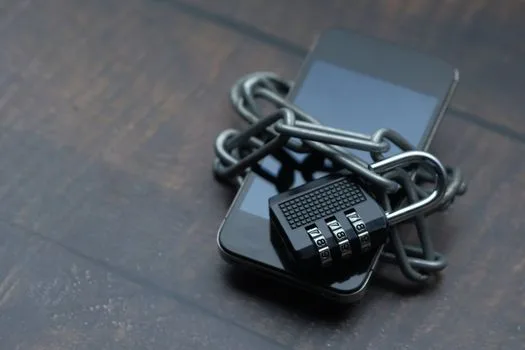
Before you can improve home care data security, it helps to understand the most common weak points.
1. Weak passwords and shared logins
When staff members share credentials or use simple passwords, it becomes difficult to track who accessed what. Shared logins also make it harder to investigate suspicious activity.
2. Unsecured mobile devices
Caregivers often use smartphones or tablets to check schedules, document visits, or communicate with the office. If a device is lost, stolen, or not properly protected, patient data may be exposed.
3. Improper access to records
Not every employee needs access to every piece of information. If admin staff, schedulers, or caregivers can see more data than necessary, the risk of accidental exposure increases.
4. Unencrypted file sharing and email
Sending sensitive information through personal email accounts, text messages, or unsecured file-sharing tools can create compliance problems and data leaks.
5. Incomplete training
Many breaches happen because someone clicks a phishing link, sends information to the wrong person, or fails to follow procedures. Human error is still one of the biggest cybersecurity risks in healthcare.
Best practices to protect patient data in a home care agency

The most effective security programs focus on layered protection. No single tool solves everything, but a combination of technology and policy can dramatically lower your risk.
1. Use role-based access control
One of the simplest ways to protect patient data is to limit access based on job function. This is often called role-based access control, and it ensures employees only see the information they need to do their jobs.
For example:
- Caregivers should access only their assigned clients and visit details.
- Schedulers should view calendars, shift coverage, and basic client information.
- Billing staff should access claims and payment records, but not unnecessary clinical notes.
- Managers should have broader access for oversight and compliance, with audit trails in place.
This reduces exposure and also makes it easier to manage accountability if something goes wrong.
2. Require strong passwords and multi-factor authentication
Strong passwords are still essential, but passwords alone are not enough. Multi-factor authentication, or MFA, adds another layer by requiring a second verification step, such as a code sent to a phone or an authentication app.
Set clear password rules for staff:
- Use unique passwords for work accounts
- Avoid reusing personal passwords
- Change credentials immediately when an employee leaves
- Never share usernames or passwords across the team
If your software supports MFA, enable it for all administrators and users who access sensitive records.
3. Keep devices secure
Since home care work happens in the field, mobile security is critical. Every agency should have a basic device policy for phones, tablets, laptops, and any other connected devices.
Good device practices include:
- Requiring passcodes or biometric locks
- Enabling remote wipe for lost or stolen devices
- Keeping operating systems and apps updated
- Avoiding public Wi-Fi for sensitive tasks when possible
- Separating personal and work data where feasible
If caregivers use personal devices for work, define exactly what is allowed and what security settings are required.
4. Train staff on privacy and phishing awareness
Your team is your first line of defense. Even the best software cannot prevent every risk if staff members do not know how to spot threats or handle information properly.
Training should cover:
- How to identify suspicious emails and texts
- What information can and cannot be shared
- How to verify a family member’s identity before disclosing details
- How to report a lost device or suspected breach immediately
- How to use approved systems instead of personal messaging tools
Short, repeated training sessions are often more effective than one long annual lecture. Consider monthly refreshers or quick scenario-based reminders.
5. Use secure software built for home care
Generic tools like spreadsheets, text threads, and consumer-grade apps may be convenient, but they are not designed to help protect patient data in a healthcare environment. Purpose-built home care software can centralize operations and improve visibility while reducing security risks.
Look for features such as:
- HIPAA-compliant data handling
- Audit logs that track user activity
- Secure scheduling and visit documentation
- Encrypted data storage and transfer
- Permission settings by role
- Family portals with controlled access
BridgeCare OS is designed to support secure operations with scheduling, EVV, billing, family portal access, HIPAA-conscious workflows, and AI insights in one system. If you are comparing tools and want something modern and affordable, you can explore it at BridgeCare OS.
6. Create and enforce written policies
Security should not live in someone’s head. Put your rules in writing so staff know what is expected and managers have a standard to follow.
Your policies should cover:
- Acceptable use of devices and systems
- Password and authentication requirements
- Data sharing and communication rules
- Incident reporting procedures
- Offboarding procedures for departing employees
- Retention and disposal of records
Review these policies at least once a year and update them when your software, staffing, or regulations change.
7. Audit access regularly
Even with good controls in place, you should periodically review who has access to what. Employees change roles, contractors come and go, and permissions can drift over time.
A simple monthly or quarterly audit can help you catch issues such as:
- Former employees still active in the system
- Staff with excessive permissions
- Inactive accounts that should be closed
- Unusual login patterns or repeated failed login attempts
Auditing is one of the easiest ways to strengthen home care data security without major cost.
8. Secure client and family communications
Families often want quick updates, but convenience should not come at the expense of privacy. Be careful about how information is shared by phone, email, and text.
Best practices include:
- Verifying identity before discussing sensitive details
- Using secure portals instead of informal messaging when possible
- Avoiding detailed medical discussions in group texts
- Documenting communication preferences and authorized contacts
A secure family portal can reduce back-and-forth while giving loved ones approved access to schedules, updates, and key information.
9. Have an incident response plan
Even strong agencies can face an incident. What matters is how quickly and effectively you respond. A clear response plan helps minimize damage and supports compliance.
Your plan should outline:
- Who to notify internally
- How to isolate affected systems or accounts
- How to preserve logs and evidence
- When to involve legal or compliance support
- How to communicate with clients if needed
Practice the plan before you need it. A calm, organized response is far better than scrambling after a breach.
How technology can reduce risk and save time
Many agency owners worry that better security means more complexity. In reality, the right software can make operations simpler and safer at the same time.
For example, an integrated system can reduce the need for extra logins, disconnected tools, and manual data entry. That lowers the chances of duplication, mistakes, and unauthorized sharing. When scheduling, EVV, billing, and documentation live in one place, your team can work more efficiently with fewer security gaps.
BridgeCare OS helps agencies streamline workflows while maintaining HIPAA-conscious processes and access controls. It also gives administrators better visibility into activity, which can support both compliance and accountability. If your current system feels fragmented, it may be worth looking at a platform built for modern home care operations: register for BridgeCare OS.
Quick checklist: protect patient data this month
If you want to improve home care data security right away, start here:
- Enable multi-factor authentication for all users
- Review staff permissions and remove unnecessary access
- Update passwords for former employees and contractors
- Train staff on phishing and privacy basics
- Confirm all work devices use passcodes and updates
- Replace insecure communication methods with approved tools
- Document your incident response steps
- Audit system activity and access logs regularly
These actions do not require a large IT department, but they can make a meaningful difference.
Conclusion
To protect patient data, home care agencies need more than good intentions. They need practical safeguards, clear policies, and software that supports secure workflows from day one. By focusing on access control, staff training, device security, and regular audits, you can reduce risk and strengthen client trust.
If you are ready to simplify operations while improving security, a modern platform like BridgeCare OS can help you take the next step.
Keep Reading
Protecting Patient Data: Security Best Practices for Home Care Agencies
Learn how home care agencies can protect patient data with practical security best practices, HIPAA tips, and tools to reduce risk and stay compliant.
Protecting Patient Data: Security Best Practices for Home Care Agencies
Learn how home care agencies can protect patient data with practical security best practices, HIPAA safeguards, and simple steps to reduce risk.

Protecting Patient Data: Security Best Practices for Home Care Agencies
Learn how to protect patient data at your home care agency with proven security best practices, HIPAA compliance tips, and affordable tools.
Ready to modernize your home care agency?
BridgeCare OS unites scheduling, EVV, billing, and family transparency on one platform. Start your 14-day free trial — no credit card required.
Start Free Trial →