Home care agencies handle some of the most sensitive information in healthcare: medical histories, medication lists, care plans, Social Security numbers, insurance details, and family contact information. That makes your agency a prime target for cybercriminals—and a place where a simple mistake can turn into a costly HIPAA violation.
In 2024, healthcare remained one of the most breached industries in the U.S., with cyberattacks, ransomware, and phishing continuing to expose patient records at alarming rates. For home care agencies, the stakes are even higher because teams are often distributed, caregivers work in the field, and data is shared across phones, tablets, laptops, and family portals.
The good news: protecting patient data does not have to be overwhelming. With the right policies, training, and technology, home care agencies can dramatically reduce risk while improving trust with clients and families.
In this guide, we’ll break down practical home care data security best practices to help you protect patient data, stay compliant, and build a safer operation.
Why home care agencies are especially vulnerable
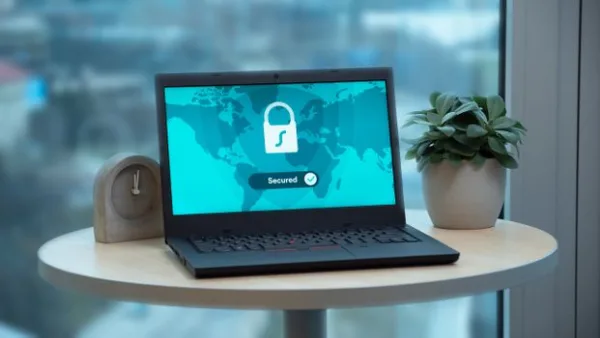
Home care agencies face unique security challenges compared with brick-and-mortar healthcare providers. Your caregivers are mobile, your staff may use multiple devices, and your data often moves between scheduling systems, EVV platforms, billing tools, and family communications.
This creates more opportunities for data exposure, especially when processes are manual or systems are disconnected.
Common risk points in home care
- Caregivers using personal phones or tablets to access client information
- Weak or reused passwords across multiple accounts
- Paper notes, printed schedules, and unsecured documents
- Unauthorized access to shared logins
- Unencrypted email or text messages containing PHI
- Lost or stolen mobile devices
- Poor vendor security from third-party software tools
When patient data is spread across too many systems, it becomes harder to control who sees what—and easier for a breach to happen.
Best practices to protect patient data

Strong security starts with clear policies and repeatable processes. The goal is not just to “have HIPAA covered,” but to make secure behavior the default in your agency.
1. Limit access with role-based permissions
Not everyone in your agency needs access to everything. A scheduler doesn’t need full billing records, and a caregiver may only need the information required to complete a visit safely.
Use role-based permissions so employees can only access the data necessary for their job. This reduces the damage if an account is compromised and makes internal access easier to audit.
Best practices include:
- Assign permissions by role, not by convenience
- Review access regularly when staff change positions
- Immediately remove access for terminated employees
- Use unique user accounts instead of shared logins
2. Use strong passwords and multi-factor authentication
Weak passwords are still one of the easiest ways criminals gain access to healthcare systems. The simplest fix is also one of the most effective: require strong passwords and enable multi-factor authentication (MFA) everywhere possible.
MFA adds another layer of verification, such as a code sent to a phone or authentication app. Even if a password is stolen, MFA can stop the attacker from getting in.
For agencies, this is especially important for scheduling software, billing platforms, email accounts, and admin dashboards.
3. Train staff to spot phishing attempts
Phishing emails are one of the most common ways cybercriminals trick staff into revealing credentials or downloading malicious files. In a busy home care environment, one rushed click can create a serious security event.
Train staff to watch for:
- Urgent messages asking for login credentials
- Suspicious links or attachments
- Requests to update payment or banking details
- Email addresses that look slightly off
- Messages claiming to be from vendors, clients, or executives
It helps to make training short, practical, and recurring. A five-minute monthly reminder is often more effective than a once-a-year policy review.
4. Encrypt data in transit and at rest
Encryption helps protect information even if it is intercepted or stolen. When data is encrypted, it becomes unreadable without the proper key.
Your agency should ensure that PHI is encrypted:
- When it is stored in software systems
- When it is sent through web applications or portals
- When it moves between devices and cloud services
This matters for client records, care notes, visit logs, and family communications. If your software vendor cannot clearly explain encryption practices, that is a warning sign.
5. Secure mobile devices used in the field
Because home care is mobile by nature, caregivers often need to access information on phones or tablets. That convenience is useful, but it also creates risk if devices are lost, stolen, or left unlocked.
Protect field devices with these steps:
- Require passcodes or biometric lock screens
- Enable remote wipe for lost devices
- Avoid storing PHI in unsecured notes or screenshots
- Keep operating systems and apps updated
- Prohibit use of public Wi-Fi for sensitive access when possible
If caregivers use personal devices, set clear mobile device rules and make sure they understand what data can and cannot be stored locally.
6. Reduce paper wherever possible
Paper creates risk because it is easy to misplace, copy, photograph, or leave behind in a car or home. While some agencies still rely on printed schedules or handwritten notes, paper should be minimized as much as possible.
To reduce exposure:
- Move schedules and care notes into secure digital tools
- Shred documents containing PHI
- Store any necessary paper files in locked cabinets
- Restrict printing to approved staff and situations
Going digital does not eliminate every risk, but it gives you better control and auditability.
7. Keep software and systems updated
Outdated software often contains known vulnerabilities that cybercriminals can exploit. Updates are not just about new features; they are a core part of security maintenance.
Make sure all devices and systems used by your agency are updated regularly, including:
- Scheduling platforms
- EVV systems
- Email accounts
- Mobile operating systems
- Browsers and security tools
Automated updates are ideal whenever possible, especially for field devices.
8. Back up data and test recovery plans
If your systems go down because of ransomware, hardware failure, or human error, your ability to recover quickly depends on your backups. A good backup plan protects both operations and patient continuity.
At minimum, your agency should:
- Back up critical data regularly
- Store backups securely and separately from primary systems
- Test restoration procedures on a schedule
- Document who is responsible for recovery steps
Backups are only useful if you know they work. Many organizations discover too late that their backup files are incomplete or inaccessible.
9. Choose vendors carefully
Third-party tools can make your agency more efficient, but they also expand your security footprint. Every software vendor that touches PHI should be evaluated for security, compliance, and support quality.
Before signing with a vendor, ask:
- Do they support HIPAA-compliant workflows?
- Is data encrypted?
- Do they offer audit logs and access controls?
- How do they handle backups and incident response?
- Do they sign a Business Associate Agreement (BAA) when needed?
Using fewer tools can also reduce risk. A unified platform often improves both security and efficiency by keeping scheduling, EVV, billing, and communication in one place.
10. Monitor activity with audit logs
You cannot protect what you cannot see. Audit logs help you track who accessed records, when changes were made, and whether anything suspicious happened.
This is especially valuable in home care, where many staff members may need limited access at different times. Audit logs can help you investigate concerns and identify patterns before they become major problems.
Look for software that provides clear activity tracking for:
- Logins and failed login attempts
- Record edits and deletions
- Schedule changes
- Billing actions
- Document access
Build a culture of security, not just a policy
Security works best when it becomes part of the agency culture. If staff see data protection as “an IT issue,” you are more likely to have gaps in day-to-day behavior.
Instead, make privacy a shared responsibility. Reinforce that protecting client information is part of quality care.
Simple ways to build awareness
- Include security reminders in team meetings
- Run short phishing simulations or awareness checks
- Post simple do’s and don’ts for device use
- Reward staff who report suspicious activity quickly
- Review incidents without blame so teams can learn
Security is not just about preventing breaches. It is about creating systems that make it easy for staff to do the right thing every day.
How technology can simplify home care data security
Many agencies struggle with security because their systems are scattered across multiple vendors and manual processes. The more places data lives, the harder it is to protect.
That is why many agencies are moving to integrated platforms that combine scheduling, EVV, billing, CRM, family communication, and compliance tools in one secure environment. With a system like BridgeCare OS, agencies can streamline operations while supporting better data control through modern access management, audit visibility, and HIPAA-conscious workflows.
BridgeCare OS also helps agencies reduce the number of disconnected tools staff have to learn and manage, which can lower the chance of mistakes that expose patient information.
What to do if you suspect a data breach
Even strong agencies can face incidents. What matters is how quickly and effectively you respond.
If you suspect PHI has been exposed, take action immediately:
- Contain the issue by disabling compromised accounts or devices
- Document what happened, when it happened, and who was affected
- Notify internal leadership and compliance contacts
- Follow HIPAA breach notification requirements as applicable
- Bring in legal, IT, or security support if needed
- Review the root cause and close the gap before resuming normal operations
The faster you respond, the better your chances of limiting damage and demonstrating accountability.
Final thoughts
Protecting patient data is one of the most important responsibilities a home care agency has. A strong home care data security program does more than reduce HIPAA risk—it builds trust with clients, families, and referral partners.
By combining access controls, staff training, device security, encryption, and smarter technology choices, you can protect patient data without slowing your team down. If you are ready to simplify operations and strengthen security at the same time, explore a modern platform built for home care agencies like BridgeCare OS.
Keep Reading

Protecting Patient Data: Security Best Practices for Home Care Agencies
Learn how home care agencies can protect patient data with practical security best practices, HIPAA tips, and simple steps to reduce risk.
Protecting Patient Data: Security Best Practices for Home Care Agencies
Learn how to protect patient data at your home care agency with proven security best practices, HIPAA compliance tips, and affordable tools.
Protecting Patient Data: Security Best Practices for Home Care Agencies
Learn how home care agencies can protect patient data with practical security best practices, HIPAA safeguards, and simple steps to reduce risk.
Ready to modernize your home care agency?
BridgeCare OS unites scheduling, EVV, billing, and family transparency on one platform. Start your 14-day free trial — no credit card required.
Start Free Trial →