If your home care agency uses a scheduling tool, an EVV platform, payroll software, billing software, and a family portal, you already know the pain of “too many logins.” Staff waste time resetting passwords, admins get stuck managing access, and every extra system creates another security risk.
That’s where single sign-on healthcare comes in. For home care agencies, SSO is more than a convenience feature. It can improve security, reduce IT headaches, and help your team move faster between the systems they rely on every day.
In an industry where caregivers are working under time pressure and administrators are juggling compliance, billing, and family communication, even small friction points matter. SSO helps remove one of the most common ones: the repeated login cycle.
What is SSO in home care?
Single sign-on, or SSO, allows a user to log in once and access multiple connected applications without entering credentials again for each one. Instead of remembering five different usernames and passwords, a caregiver or office staff member signs in one time and moves between approved systems securely.
In a home care setting, SSO home care workflows can connect tools like:
- Scheduling software
- EVV systems
- Billing and payroll tools
- CRM and referral management platforms
- Family portals
- Reporting and analytics dashboards
For agencies with multiple systems, this can dramatically simplify the daily user experience.
Why home care agencies struggle without SSO

Most agencies don’t start with a clean, integrated tech stack. They grow into it. One system for scheduling, another for billing, another for compliance, and another for communication. Over time, the result is a patchwork of logins, passwords, and permissions.
That creates several problems:
- Password fatigue: Staff forget passwords or reuse weak ones across systems.
- Wasted time: Office teams spend valuable minutes logging in and out all day.
- Higher support load: Password resets become a frequent admin task.
- Security gaps: More credentials mean more chances for misuse or breaches.
- Training friction: New hires have to learn multiple logins right away, slowing onboarding.
In healthcare, weak access control is not a minor issue. According to Verizon’s 2024 Data Breach Investigations Report, stolen credentials remain one of the most common ways attackers get into systems. When an agency has multiple disconnected applications, each one becomes another possible entry point.
How SSO improves security for home care agencies
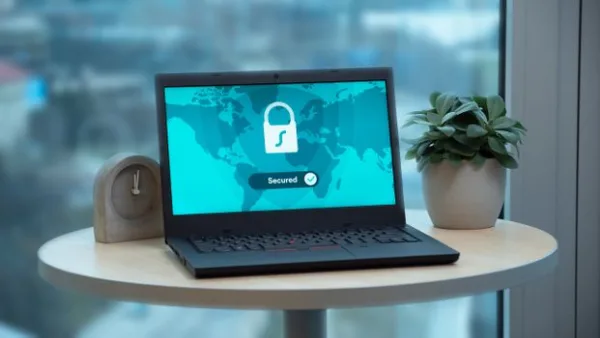
Security is one of the biggest reasons agencies adopt SSO. If your staff can access everything through one secure identity, you reduce the number of usernames and passwords floating around your organization.
1. Fewer passwords to steal or forget
When employees use one secure login, there are fewer opportunities for password reuse and fewer credentials stored in sticky notes, spreadsheets, or email threads.
2. Better control over user access
With SSO, administrators can often revoke access faster when someone leaves the company. Instead of disabling multiple accounts in multiple tools, you can shut down one central identity and reduce the chance of lingering access.
3. Stronger authentication policies
SSO works especially well when paired with multi-factor authentication (MFA). That means a caregiver or admin may need to confirm their identity with a code or app after logging in, adding another layer of protection.
4. Improved auditability
When access flows through a central identity system, it becomes easier to track who logged in, when they logged in, and what they were able to access. That visibility matters for HIPAA-related policies and internal accountability.
In healthcare technology, the easiest login is not always the safest one. SSO gives agencies a better balance: fewer access points, but stronger control.
How SSO saves time for busy home care teams
For a home care agency, security is important, but time savings may be what staff notice first. When caregivers, schedulers, billers, and managers don’t have to keep signing into separate tools, the whole operation feels smoother.
Faster caregiver workflows
Caregivers often work in short windows between visits. If they need to check schedules, submit EVV data, review notes, or access updates, repeated logins can be frustrating. SSO reduces that friction and helps them get back to caregiving faster.
Less admin overhead
Office staff spend too much time already managing schedules, resolving missed visits, and dealing with billing issues. Cutting down on password reset requests and login troubleshooting gives administrators more time for higher-value work.
Better onboarding for new hires
New caregivers and staff already have a lot to learn. One login is easier to teach than five. That reduces confusion during onboarding and helps your team become productive sooner.
More consistent usage across tools
When logging in is easy, people are more likely to use the systems you provide. That means better data accuracy, fewer missing updates, and more reliable workflows across scheduling, EVV, and communication.
Why SSO matters even more as agencies grow
SSO becomes increasingly valuable as your agency scales. A five-person operation may be able to manage a few logins without too much pain. But once you have multiple branches, remote managers, many caregivers, and a growing list of software tools, access management becomes much harder.
Growth adds complexity in several ways:
- More employees need access at different permission levels
- More systems are added to support operations
- More turnover means more account changes and deactivations
- More communication channels create more data to protect
SSO helps agencies maintain order as they scale. Instead of building a mess of separate accounts, you create a more unified identity structure that can support expansion.
How SSO supports compliance and risk reduction
Home care agencies deal with sensitive client and employee data every day. That includes medical details, schedules, visit notes, payment information, and family communications. Because of that, access control is a core part of risk management.
SSO can support compliance efforts by:
- Making it easier to enforce password standards
- Centralizing authentication policies
- Reducing the chance of shared credentials
- Helping with faster account deactivation during offboarding
- Supporting MFA and other security measures
While SSO alone does not make an agency HIPAA compliant, it is a smart part of a stronger security posture. The goal is to make it easier for your team to do the right thing by design.
What to look for in an SSO-ready home care platform
If you are evaluating software, don’t just ask whether it has SSO. Ask how well it fits the way your agency actually works.
Key questions to ask vendors
- Does the system support SSO with our identity provider?
- Can we use MFA alongside SSO?
- How are permissions managed for different roles?
- Can we quickly remove access for terminated staff?
- Does the platform log user activity for audits?
- How does SSO work across mobile and web access?
You should also consider whether the software integrates naturally with your other core systems. The more unified your stack is, the more value you get from SSO.
How BridgeCare OS helps reduce login chaos
Many agencies don’t need more disconnected tools. They need fewer logins, fewer systems to manage, and a better way to run daily operations. That is one reason agencies choose BridgeCare OS. It combines scheduling, EVV, billing, family communication, HIPAA-focused workflows, and AI-driven insights in one modern platform, helping reduce the number of separate systems your team has to juggle.
When your software stack is more unified, it becomes much easier to manage access, train staff, and keep workflows moving. For agency owners comparing options like WellSky, Axxess, and CareSmartz360, that simplicity can make a meaningful difference.
Practical steps to implement SSO in your agency
If you are considering SSO home care solutions, here’s a simple rollout plan:
1. Audit your current systems
List every tool your team uses, who accesses it, and how often. This will show you where the biggest login headaches are.
2. Identify your core identity provider
Decide where user identities will live. This is the system that will manage authentication and access across connected applications.
3. Prioritize high-use tools first
Start with the apps your team uses most often, such as scheduling, EVV, and communication platforms. Quick wins build momentum.
4. Set role-based access policies
Not every employee needs access to every tool. Use role-based permissions to limit exposure and keep things simple.
5. Train your team
Explain how SSO works, why it matters, and what to do if login issues arise. A short training session can prevent confusion later.
6. Review access regularly
Make account reviews part of your normal compliance and HR process. Remove unnecessary access and update roles as people change positions.
Common mistakes agencies make with access management
Even with the right software, agencies can still create avoidable risk. Watch out for these common mistakes:
- Sharing one login among multiple employees
- Using weak or repeated passwords
- Failing to disable accounts after turnover
- Giving too many users admin-level access
- Keeping systems disconnected with no clear access policy
SSO helps reduce these problems, but only if it is paired with good internal processes.
The bottom line: SSO is a security and efficiency upgrade
For home care agencies managing multiple systems, SSO is no longer just an IT convenience. It is a practical way to improve security, streamline access, reduce admin burden, and support growth.
If your team is losing time to logins, password resets, and fragmented workflows, it may be time to simplify. A more unified system can make day-to-day operations easier for everyone involved.
If you are ready to reduce complexity and modernize your agency operations, explore BridgeCare OS and see how a more connected platform can help your team work smarter from day one.
Keep Reading

Why SSO Matters for Home Care Agencies Managing Multiple Systems
Discover why single sign-on (SSO) is a game-changer for home care agencies juggling multiple platforms — and how it boosts security, saves time, and reduces burnout.

Why SSO Matters for Home Care Agencies Managing Multiple Systems
Learn why SSO home care teams need it to simplify access, strengthen security, and reduce admin headaches across multiple systems.

Why SSO Matters for Home Care Agencies Managing Multiple Systems
Learn why SSO home care teams need to reduce password fatigue, improve security, and streamline access across billing, EVV, CRM, and scheduling.
Ready to modernize your home care agency?
BridgeCare OS unites scheduling, EVV, billing, and family transparency on one platform. Start your 14-day free trial — no credit card required.
Start Free Trial →