Your Patients Trust You With More Than Their Care — They Trust You With Their Lives

When a family invites a caregiver into their home, they're doing something deeply vulnerable. They're sharing not just physical access to their loved one — they're handing over medical histories, insurance information, Social Security numbers, medication records, and intimate daily routines. That trust is the foundation of every home care agency. And yet, thousands of agencies across the country are unknowingly putting that trust at risk every single day.
Healthcare is the most targeted industry for cyberattacks in the United States. According to the U.S. Department of Health and Human Services, healthcare data breaches exposed over 133 million records in 2023 alone — a record-breaking number that should send a chill down every agency owner's spine. And here's the hard truth: small and mid-sized home care agencies are increasingly in the crosshairs, precisely because cybercriminals know they often lack the security infrastructure of large hospital systems.
The good news? Protecting patient data doesn't require a dedicated IT department or a six-figure security budget. It requires awareness, the right processes, and tools built with security in mind. Let's walk through exactly what your agency needs to know — and do — to keep patient data safe.
Why Home Care Agencies Are Especially Vulnerable
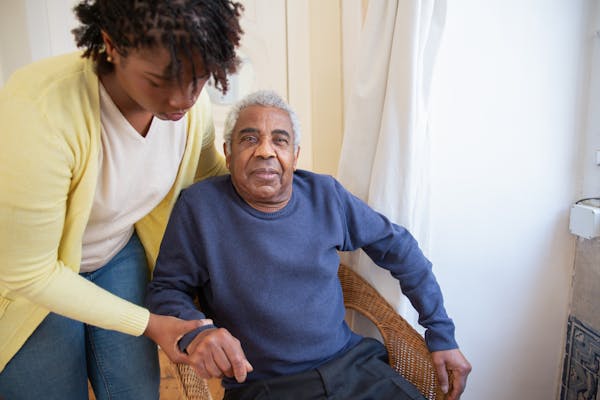
Unlike hospitals or physician offices where care happens in a single, controlled location, home care agencies operate across dozens or hundreds of individual homes simultaneously. Caregivers use personal phones, log into systems on public Wi-Fi, and handle sensitive documents in unpredictable environments. This distributed model creates unique security challenges that many standard healthcare security frameworks weren't originally designed to address.
Here are the most common vulnerabilities home care agencies face:
- Unsecured personal devices: Caregivers checking schedules or logging visits on personal smartphones that have no encryption or remote-wipe capability.
- Weak or reused passwords: Staff sharing login credentials or using easily guessable passwords like birthdays or names.
- Paper records: Physical documents left in cars, homes, or unsecured offices that can be lost, stolen, or photographed.
- Phishing attacks: Employees clicking malicious email links that appear to come from legitimate sources like insurance companies or payroll providers.
- Third-party software risk: Using multiple disconnected tools — some of which may not be HIPAA-compliant — to manage different parts of the business.
- Inadequate staff training: New caregivers who are onboarded quickly and never given formal data security training.
Understanding your vulnerabilities is step one. Now let's talk about how to close those gaps.
The Foundation: HIPAA Compliance Is the Minimum, Not the Goal

The Health Insurance Portability and Accountability Act (HIPAA) sets the legal baseline for how protected health information (PHI) must be handled. Violating HIPAA isn't just an ethical failure — it can cost your agency anywhere from $100 to $50,000 per violation, with annual penalties reaching up to $1.9 million for repeat violations. Criminal charges are also possible in cases of willful neglect.
But here's something important to understand: HIPAA compliance is the floor, not the ceiling. Agencies that treat compliance as a checkbox exercise — doing just enough to pass an audit — leave enormous gaps that sophisticated attackers can exploit. Think of HIPAA as your foundation. Your actual security posture should be built well above it.
Key HIPAA Requirements Every Agency Must Understand
- Privacy Rule: Governs how PHI can be used and disclosed. Patients have rights over their own data, including the right to access, amend, and receive an accounting of disclosures.
- Security Rule: Requires administrative, physical, and technical safeguards for electronic PHI (ePHI). This includes access controls, audit logs, and encryption.
- Breach Notification Rule: If a data breach occurs, you must notify affected individuals within 60 days — and notify HHS and sometimes the media if more than 500 individuals in a state are affected.
- Business Associate Agreements (BAAs): Any vendor that handles PHI on your behalf — software providers, billing companies, cloud storage services — must sign a BAA with your agency.
Action Item: Pull up a list of every software tool, vendor, and contractor your agency uses. For each one that touches patient data, confirm you have a signed BAA on file. If you don't, you're already in violation.
Home Care Data Security Best Practices: A Practical Playbook
1. Control Who Has Access to What
Not everyone on your team needs access to every piece of patient information. A caregiver needs to see their schedule and care notes for their assigned clients — they don't need access to billing records or the full patient database. This principle is called role-based access control (RBAC), and it's one of the most powerful tools in your security arsenal.
Set up your systems so that each user only sees what they need to do their job. When an employee leaves — especially one who left on bad terms — immediately revoke their access. Every day that a former employee can still log into your scheduling system or client portal is a day you're exposed.
2. Require Strong Passwords and Multi-Factor Authentication
Weak passwords remain the number one cause of unauthorized access to business systems. Require all staff to use passwords that are at least 12 characters long and include a mix of letters, numbers, and symbols. Better yet, require the use of a password manager so staff aren't writing passwords on sticky notes or reusing the same password across ten different accounts.
More importantly, enable multi-factor authentication (MFA) on every system that offers it. MFA requires a second verification step — typically a code sent to a phone — in addition to a password. Even if a password is stolen, MFA prevents unauthorized access. This single step blocks over 99% of account compromise attacks, according to Microsoft's own research.
3. Encrypt Everything That Moves
Encryption converts data into unreadable code that can only be deciphered with the correct key. Any device that stores or transmits PHI — laptops, tablets, smartphones — should use full-disk encryption. Any data transmitted over the internet should use encrypted connections (look for HTTPS and TLS protocols in your software).
If a caregiver's unencrypted laptop is stolen from their car, you have a reportable breach. If that same laptop uses full-disk encryption and has a strong password, the data is essentially inaccessible — and your liability exposure is dramatically reduced.
4. Train Your Team — Repeatedly
Your technology is only as secure as the humans using it. Security awareness training shouldn't be a one-time orientation exercise. It should be an ongoing, regular part of your agency's culture.
At a minimum, train your team on:
- How to recognize phishing emails and suspicious links
- What to do if they suspect a device has been compromised
- The importance of not discussing patient information in public or on personal devices
- Your agency's specific policies for logging into systems and handling documents
- How to report a security incident immediately
Consider running simulated phishing tests — there are inexpensive tools that send fake phishing emails to your staff so you can see who clicks and who needs more training. It's far better to learn through a simulation than through a real breach.
5. Have a Written Incident Response Plan
Most agencies never think about what they'll do after a breach — until they're in the middle of one and panicking. Having a written incident response plan in place before anything goes wrong can mean the difference between a manageable situation and a catastrophic one.
Your incident response plan should cover:
- Detection: How will you know if a breach has occurred? Who monitors your systems?
- Containment: What immediate steps do you take to stop the damage from spreading?
- Assessment: How do you determine the scope of the breach and what data was affected?
- Notification: Who do you notify, and in what timeframe? (Remember, HIPAA has strict deadlines.)
- Recovery: How do you restore normal operations and prevent recurrence?
- Documentation: How do you record everything that happened for compliance and legal purposes?
6. Consolidate Your Tech Stack — Fewer Tools, More Security
Many agencies cobble together five, six, or seven different software tools to run their business — one for scheduling, another for billing, a separate one for caregiver communication, a spreadsheet for client data. Each additional tool is a potential vulnerability. Each new login is another password to manage. Each integration between tools is another point where data can leak.
Moving to an integrated, all-in-one platform that was built for home care agencies significantly reduces your attack surface. When scheduling, EVV, billing, and family communication all live within one HIPAA-compliant system, you have fewer vendors to vet, fewer BAAs to manage, and a much cleaner audit trail.
This is exactly the approach agencies that use BridgeCare OS take — replacing a patchwork of disconnected tools with a single, secure platform built specifically for home care, where HIPAA compliance is built in rather than bolted on.
7. Back Up Your Data — and Test Those Backups
Ransomware attacks — where criminals encrypt your data and demand payment to restore it — have devastated healthcare organizations across the country. Your best defense against ransomware isn't just prevention; it's having clean, recent backups that allow you to restore your systems without paying the ransom.
Follow the 3-2-1 backup rule: keep 3 copies of your data, on 2 different types of media, with 1 copy stored offsite (or in the cloud). And critically — test your backups regularly. A backup that can't actually be restored is no backup at all.
Choosing Technology Partners You Can Trust
When evaluating any software for your agency, data security should be at the top of your checklist — not an afterthought. Here's what to look for when vetting a technology partner:
- Do they sign a Business Associate Agreement (BAA) with you?
- Is patient data encrypted in transit and at rest?
- Do they have SOC 2 certification or equivalent security auditing?
- Do they offer role-based access controls and detailed audit logs?
- Can they explain their data breach notification process?
- Is multi-factor authentication available?
If a vendor can't answer these questions clearly and confidently, that's a major red flag. The security posture of your software vendors directly becomes your security posture.
A Culture of Security Starts at the Top
Ultimately, home care data security isn't just a technology problem — it's a leadership problem. Agency owners and administrators set the tone. When leadership treats data security as a priority — investing in training, enforcing policies, and choosing secure technology — staff follow suit. When leadership cuts corners on security to save time or money, those attitudes filter down through the entire organization.
The cost of a data breach — financially, legally, and reputationally — almost always far exceeds the cost of prevention. The average healthcare data breach now costs $10.9 million, according to IBM's Cost of a Data Breach Report. For a small home care agency, even a fraction of that figure could be existential.
Protect What Your Patients Have Entrusted to You
The families you serve have chosen your agency because they trust you to keep their loved ones safe. That responsibility extends beyond the physical care you provide — it includes the digital safety of everything they've shared with you. Implementing strong home care data security practices isn't just about compliance or avoiding fines. It's about honoring the promise you made when you opened your doors.
Start with an honest assessment of where your agency stands today. Identify your biggest vulnerabilities. Train your team. Update your policies. And make sure every tool you use — from scheduling to billing to family communication — is built with security as a first principle.
If you're looking for a platform that takes the security burden seriously so you can focus on delivering great care, explore BridgeCare OS with a free 14-day trial. No setup fees, no contracts — just a modern, HIPAA-compliant home care operating system designed to protect your patients, your caregivers, and your agency.
Keep Reading
Protecting Patient Data: Security Best Practices for Home Care Agencies
Learn how to protect patient data at your home care agency with proven security best practices, HIPAA compliance tips, and affordable tools.
Protecting Patient Data: Security Best Practices for Home Care Agencies
Learn how to protect patient data in your home care agency with proven security practices, HIPAA compliance tips, and affordable tools.
Protecting Patient Data: Security Best Practices for Home Care Agencies
Learn essential home care data security practices to protect patient data, stay HIPAA compliant, and avoid costly breaches. A must-read for agency owners.
Keep Reading
Protecting Patient Data: Security Best Practices for Home Care Agencies
Learn how to protect patient data at your home care agency with proven security best practices, HIPAA compliance tips, and affordable tools.
Protecting Patient Data: Security Best Practices for Home Care Agencies
Learn how to protect patient data in your home care agency with proven security practices, HIPAA compliance tips, and affordable tools.
Protecting Patient Data: Security Best Practices for Home Care Agencies
Learn essential home care data security practices to protect patient data, stay HIPAA compliant, and avoid costly breaches. A must-read for agency owners.
Ready to modernize your home care agency?
BridgeCare OS unites scheduling, EVV, billing, and family transparency on one platform. Start your 14-day free trial — no credit card required.
Start Free Trial →