Your Clients Trust You With More Than Their Health — They Trust You With Their Lives

When a family invites your agency into their home, they're not just hiring a caregiver — they're handing over some of the most sensitive information a person can share. Medical histories. Medication schedules. Financial details. Social Security numbers. Insurance records. The trust embedded in that exchange is enormous, and it comes with a serious responsibility: keeping that data safe.
Unfortunately, healthcare is the most targeted industry for cyberattacks in the United States. According to the U.S. Department of Health and Human Services (HHS), healthcare data breaches exposed over 133 million records in 2023 alone. Home care agencies — often operating with lean administrative teams and aging software — are increasingly in the crosshairs of cybercriminals who know smaller organizations tend to have weaker defenses.
The good news? You don't need a full-time IT department to protect your agency. What you need is a clear understanding of the risks, a practical security framework, and the right technology tools. This guide walks you through exactly that.
Why Home Care Agencies Are Particularly Vulnerable
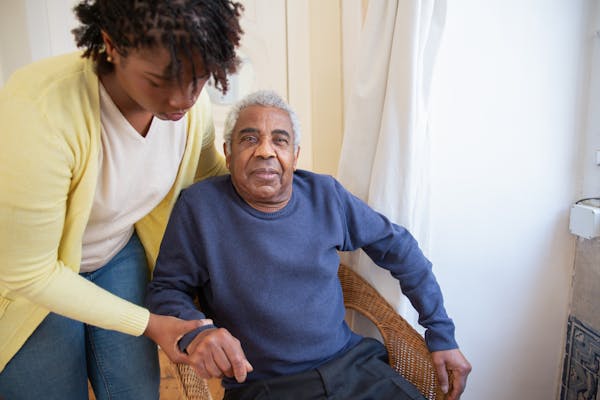
Before diving into solutions, it's worth understanding why home care agencies face unique cybersecurity challenges compared to hospitals or large health systems.
Distributed Workforces Create More Entry Points
Your caregivers aren't sitting in a single secure office building — they're spread across dozens of client homes, logging into apps on personal smartphones, connecting through public Wi-Fi networks, and sending messages through text threads. Every one of those touchpoints is a potential vulnerability. A caregiver checking their schedule at a coffee shop over an unsecured network is an open door for a bad actor.
Paper-Based and Legacy Systems Still Linger
Many home care agencies still rely on paper files, shared spreadsheets, or outdated software that hasn't received a security update in years. Paper records can be lost, stolen, or viewed by unauthorized individuals. Outdated software contains unpatched vulnerabilities that hackers actively exploit.
Small Teams Wear Too Many Hats
In a small or mid-sized agency, the office manager might also be the billing coordinator, the scheduler, and the de facto "IT person." Without dedicated security oversight, important safeguards get deprioritized in favor of day-to-day operations. This isn't negligence — it's just the reality of running a lean operation. But it does create risk.
HIPAA Violations Are Costly — and Common
The Health Insurance Portability and Accountability Act (HIPAA) requires home care agencies to implement specific safeguards for protected health information (PHI). Violations can result in civil penalties ranging from $100 to $50,000 per violation, with annual caps up to $1.9 million per violation category. Beyond the financial penalties, a publicized breach can devastate your reputation and your referral relationships with hospitals and physicians.
The Core Pillars of Home Care Data Security

A solid security strategy for a home care agency doesn't require enterprise-level complexity. It requires consistency across a few foundational pillars.
1. Access Controls and Role-Based Permissions
Not everyone in your agency needs access to everything. A caregiver needs to see their schedule and client care notes — they don't need access to billing records or other caregivers' personal information. Implementing role-based access controls (RBAC) ensures that each staff member can only see the data necessary for their specific role.
Practical steps to implement this:
- Audit who currently has access to what systems and data
- Create distinct permission levels for caregivers, coordinators, billing staff, and administrators
- Remove access immediately when an employee is terminated or changes roles
- Require unique login credentials for each user — never share passwords
2. Multi-Factor Authentication (MFA)
Passwords alone are no longer sufficient protection. Multi-factor authentication adds a second layer of verification — typically a code sent to a phone or generated by an app — that makes it dramatically harder for unauthorized users to access your systems even if a password is compromised.
Enable MFA on every system that allows it: your scheduling software, email accounts, billing platforms, and any cloud storage services. This single step can prevent the vast majority of unauthorized account access attempts.
3. Device and Mobile Security
Since your caregivers work in the field, mobile device security is non-negotiable. Establish a clear Bring Your Own Device (BYOD) policy or consider providing agency-managed devices for caregivers who use apps on the job.
Key mobile security practices:
- Require screen lock PINs or biometric authentication on all devices used for work
- Enable remote wipe capabilities so you can erase data from a lost or stolen device
- Prohibit caregivers from saving client information in personal notes apps or text messages
- Ensure all work-related apps are kept up to date with the latest security patches
4. Encrypted Communications
Standard SMS text messages are not secure. If your caregivers are texting client information back and forth, that data is potentially exposed. Ensure that all communication of protected health information happens through encrypted channels — whether that's a HIPAA-compliant messaging feature within your agency software or an encrypted email service.
5. Data Backup and Disaster Recovery
Ransomware attacks — where hackers lock you out of your own data and demand payment to restore access — are increasingly targeting healthcare organizations. The best defense is a robust backup strategy so that even if your primary systems are compromised, you can restore operations quickly without paying a ransom.
Your backup plan should include:
- Automated daily backups of all critical data
- At least one offsite or cloud-based backup copy
- Regular testing of your restore process (backing up data is useless if you can't actually restore it)
- A written disaster recovery plan that your team knows how to execute
HIPAA Compliance: What Home Care Agencies Must Have in Place
HIPAA compliance isn't a one-time checkbox — it's an ongoing program. Here's what every home care agency should have in place:
Required Documentation
- Notice of Privacy Practices (NPP): A document explaining to clients how their information is used and protected
- Business Associate Agreements (BAAs): Written agreements with every vendor that handles PHI on your behalf — including your software providers
- Policies and Procedures: Written security policies covering data access, breach response, device management, and employee training
- Risk Assessment: A formal, documented assessment of potential security risks conducted at least annually
Breach Response Planning
If a breach does occur, HIPAA requires you to notify affected individuals within 60 days, notify HHS, and in some cases notify the media. Having a breach response plan drafted before an incident occurs — not during the chaos of one — dramatically improves your ability to respond appropriately and limit the damage.
"It's not about whether a breach will happen — it's about whether you'll be ready when it does. Agencies with a written response plan recover faster and face fewer penalties than those improvising in the moment."
Staff Training: Your Most Important Security Investment
Technology can only do so much. The majority of data breaches in healthcare — an estimated 74% according to the Verizon Data Breach Investigations Report — involve a human element, such as phishing attacks, accidental data exposure, or social engineering. Your team is your first line of defense, which means training is not optional.
What Caregiver and Staff Training Should Cover
- How to recognize phishing emails and suspicious links
- The agency's password and device security policies
- What constitutes PHI and how it must be handled
- How to report a potential security incident
- The real consequences — for clients and the agency — of a data breach
Training doesn't have to be a lengthy annual seminar. Short, regular refreshers — a 10-minute video, a monthly security tip email, a quick quiz — are often more effective than infrequent deep dives. Document all training sessions for your compliance records.
Choosing Technology That Has Security Built In
One of the most impactful decisions you can make for your agency's data security is choosing software that was built with HIPAA compliance and security as core features — not afterthoughts.
When evaluating any technology platform, ask these questions:
- Is the platform HIPAA compliant, and will they sign a BAA?
- Is data encrypted in transit and at rest?
- Does the system offer role-based access controls?
- Are there built-in audit logs so you can track who accessed what and when?
- How does the vendor handle security updates and patches?
- What happens to your data if you cancel your subscription?
Platforms like BridgeCare OS are built specifically for home care agencies with HIPAA compliance baked in — including encrypted data handling, role-based permissions, and comprehensive audit trails. When your core operating system is designed for compliance, you're not scrambling to add security on top of a platform that wasn't built for healthcare.
Creating a Culture of Security in Your Agency
The agencies with the strongest security posture aren't necessarily those with the biggest budgets — they're the ones where security is treated as everyone's responsibility, not just a technology problem.
Practical Steps to Build a Security-Conscious Culture
- Lead by example. If leadership takes shortcuts with passwords or data handling, staff will too. Model the behavior you expect.
- Make reporting easy. Create a simple, non-punitive process for staff to report suspicious activity or potential incidents. Fear of punishment causes people to stay quiet — and small problems become big breaches.
- Celebrate compliance wins. Recognize staff who complete training, flag issues, or demonstrate strong security habits. Positive reinforcement goes a long way.
- Review policies regularly. Cyber threats evolve constantly. Review your security policies at least annually and update them as your agency grows or adopts new technology.
- Conduct mock phishing tests. Several affordable tools allow you to send simulated phishing emails to your team to test awareness and identify who needs additional training.
A Quick Security Audit Checklist for Home Care Agencies
Use this checklist to identify gaps in your current security posture:
- ☐ All staff have unique login credentials — no shared passwords
- ☐ Multi-factor authentication is enabled on all critical systems
- ☐ Role-based access controls are in place and regularly reviewed
- ☐ A signed BAA is on file for all technology vendors handling PHI
- ☐ Caregivers are trained on device security and phishing awareness
- ☐ Client data is never transmitted via unsecured text messages
- ☐ Automated data backups are running and have been tested
- ☐ A written breach response plan exists and staff know their roles
- ☐ A formal HIPAA risk assessment has been completed in the past 12 months
- ☐ Former employee access is revoked promptly upon separation
Protecting Your Agency Starts Today
Home care data security isn't just about avoiding fines or satisfying regulators — it's about honoring the trust that clients and families place in your agency every single day. When someone allows your caregiver into their home, they're extending an act of profound trust. Protecting their data is an extension of the care you're already committed to providing.
The agencies that thrive long-term are the ones that treat security as a foundational business value, not a compliance burden. Start with the basics: strong access controls, MFA, trained staff, and technology built for HIPAA compliance. Build from there. Each step you take makes your agency more resilient, more trustworthy, and more competitive.
If you're ready to run your agency on a platform where security and compliance are built in from day one, start your free 14-day trial of BridgeCare OS — no contracts, no setup fees, and no compromises on protecting your clients' data.
Keep Reading
Protecting Patient Data: Security Best Practices for Home Care Agencies
Learn essential home care data security strategies to protect patient data, stay HIPAA-compliant, and safeguard your agency from costly breaches.
Why SSO Matters for Home Care Agencies Managing Multiple Systems
Discover why single sign-on (SSO) is a game-changer for home care agencies juggling multiple software platforms—and how it boosts security and efficiency.
Why SSO Matters for Home Care Agencies Managing Multiple Systems
Discover why single sign-on (SSO) is a game-changer for home care agencies juggling multiple software systems — and how it boosts security and efficiency.
Keep Reading
Protecting Patient Data: Security Best Practices for Home Care Agencies
Learn essential home care data security strategies to protect patient data, stay HIPAA-compliant, and safeguard your agency from costly breaches.
Why SSO Matters for Home Care Agencies Managing Multiple Systems
Discover why single sign-on (SSO) is a game-changer for home care agencies juggling multiple software platforms—and how it boosts security and efficiency.
Why SSO Matters for Home Care Agencies Managing Multiple Systems
Discover why single sign-on (SSO) is a game-changer for home care agencies juggling multiple software systems — and how it boosts security and efficiency.
Ready to modernize your home care agency?
BridgeCare OS unites scheduling, EVV, billing, and family transparency on one platform. Start your 14-day free trial — no credit card required.
Start Free Trial →